
TL;DR
TradingView is a leading trading platform for technical analysis, but its 5-tier pricing model — ranging from $0 to $59.95/month for non-professional plans alone — locks key features like non-expiring alerts, multi-chart layouts, and advanced indicators behind progressively expensive tiers. Pricing and billing complaints consistently rank as the most common category of user frustration, with TradingView holding a 1.6 TrustScore on Trustpilot based on over 1,000 reviews. Flat-rate alternatives exist. TakeProfit is a technical analysis platform that offers all features for $20/month or $100/year, with no tiered gating — including capabilities that TradingView’s free version does not provide. This article breaks down exactly what each TradingView tier includes, what you lose at each level, and what other options are available in 2026.
Why TradingView Pricing Frustrates Traders in 2026
TradingView is a web-based charting platform designed for technical analysis, stock screening, and social trading. The platform serves over 100 million users and is one of the most popular charting and trading platforms in the global financial market. TradingView offers advanced charting tools, community-built indicators via Pine Script, and broker integrations across multiple asset classes including stocks, forex, and crypto.
TradingView uses a tiered subscription model with five non-professional plans (Free, Essential, Plus, Premium, and Ultimate) and two professional plans (Expert and Ultimate Pro). Each tier progressively unlocks features — more charts per tab, more indicators per chart, more active alerts, and access to tools like auto chart patterns or second-based timeframes. The monthly cost ranges from $0 to $59.95 for retail traders, with the professional Ultimate plan reaching $239.95/month.
This pricing structure is, by a wide margin, the most common source of user complaints. Review data from Trustpilot shows TradingView carrying a 1.6 TrustScore categorized as “Bad,” with approximately 50% of reviewers leaving 1-star ratings. Billing, auto-renewals, and feature restrictions dominate the negative feedback.
Users report that free trials auto-convert into annual subscriptions costing $600 to $750, with cancellation processes described as deliberately complicated. Features that were previously available on lower tiers get moved behind higher paywalls over time — for example, free users lost access to custom indicator alerts entirely. Even paid Essential plan users receive delayed market data and must pay additional exchange fees for real-time feeds.
Key Insight
TradingView uses a 5-tier pricing model for non-professional traders, ranging from $0 to $59.95/month. Features like multiple charts per tab, indicators per chart, and alert limits increase with each tier, creating a step-function paywall that commonly pushes active traders toward more expensive plans.
What TradingView’s Pricing Tiers Cost Traders Beyond the Subscription
The dollar amount on each TradingView plan tells only part of the story. The real cost shows up in what traders cannot do at each tier — and how those restrictions affect daily trading activities and decisions.
TradingView’s indicator limits directly constrain strategy complexity. The free plan allows 3 indicators per chart, Essential permits 5, and Plus raises that to 10. Traders running multi-indicator setups — combining RSI, MACD, Bollinger Bands, volume analysis, and moving averages on a single chart — need a minimum of Plus at $29.95/month just to display their full strategy. Crypto trading users and forex traders who layer additional oscillators or custom Pine Script indicators often find even 10 insufficient, pushing them toward Premium’s 25-indicator cap at $59.95/month.
Chart-per-tab limits restrict multi-timeframe analysis, a foundational technique in technical analysis and trading. The free plan shows one chart at a time. Essential allows two, Plus four, and Premium eight. A swing trader monitoring daily, 4-hour, and 1-hour timeframes simultaneously across two assets already exceeds Essential’s capacity. Active day traders working across stocks and crypto need at minimum Plus for basic multi-timeframe visibility.
Alert caps impose hard limits on automated trading systems and trading strategies. Free users get 5 basic alerts with no webhook support. Essential provides 20 active alerts, Plus 100, and Premium 400. But there is a critical hidden restriction documented in user complaints: TradingView throttles all plans to a maximum of 15 alerts firing per 3 minutes, regardless of tier. A Premium user paying for 400 alerts still hits the same firing throttle as an Essential user. Additionally, alerts on Essential and Plus plans expire after approximately 2 months, requiring traders to manually recreate them — a significant time drain for anyone running more than a handful of automated strategies.
Real-time exchange data adds cost on top of the subscription. Non-professional traders get free real-time data from the BATS exchange for US and Canadian stocks, but real-time data from NASDAQ or NYSE requires an additional subscription through TradingView, typically around $9.95 per exchange per month. These layered costs vary significantly depending on a trader’s trading style and the number of exchanges they follow.
Backtesting capabilities are also affected by tier. Historical bar limits — 5,000 on Free, 10,000 on Essential and Plus, 20,000 on Premium — directly determine how far back traders can test their strategies against real price data. Serious backtesting on intraday timeframes requires Premium-level historical data to produce statistically meaningful results.
Summary Insight
A trader using five indicators across four timeframes with active alerts needs at minimum TradingView’s Plus plan at $29.95/month. Adding non-expiring alerts and auto chart patterns pushes the requirement to Premium at $59.95/month — three times the cost of some flat-rate alternatives.
TradingView Plans Compared: Feature Limits at Every Tier in 2026
TradingView structures its pricing around progressive feature unlocks. The table below summarizes what each non-professional plan includes, based on publicly available pricing from TradingView and third-party reviews current as of early 2026.
| Feature | Free | Essential ($14.95/mo) | Plus ($29.95/mo) | Premium ($59.95/mo) | Ultimate ($239.95/mo) |
|---|---|---|---|---|---|
| Charts per tab | 1 | 2 | 4 | 8 | 16 |
| Indicators per chart | 3 | 5 | 10 | 25 | 50 |
| Active alerts | 5 | 20 | 100 | 400 | 800 |
| Alert expiration | 2 months | 2 months | 2 months | No expiry | No expiry |
| Historical bars (intraday) | 5,000 | 10,000 | 10,000 | 20,000 | 20,000 |
| Custom timeframes | No | Yes | Yes | Yes | Yes |
| Volume profile | No | Yes | Yes | Yes | Yes |
| Auto chart patterns | No | No | No | Yes | Yes |
| Second-based charts | No | No | No | Yes | Yes |
| Webhook alerts | No | Yes | Yes | Yes | Yes |
| Ads | Yes | No | No | No | No |
| Annual price (per month) | $0 | ~$12.95 | ~$28 | ~$56 | ~$199.95 |
The most common upgrade friction points occur at two transitions. The first is Free to Essential, where traders gain ad removal, custom timeframes, volume profile, and webhook support — features that most active traders consider necessary rather than optional. The second and more costly jump is Plus to Premium, where traders pay roughly double ($29.95 to $59.95) primarily to access non-expiring alerts, auto chart patterns recognition, second-based charts, and doubled historical data from 10,000 to 20,000 intraday bars.
Multiple independent reviewers note that Plus offers limited value relative to its position in the lineup. Plus and Essential share identical 10,000-bar intraday history, and Plus does not include the Premium-exclusive features — like backtesting with deeper historical data or auto-detected chart patterns — that active and algorithmic traders often need. For traders who outgrow Essential, the common advice is to skip Plus entirely and go directly to Premium — effectively tripling their monthly cost.
TradingView also offers a 30-day free trial for Essential, Plus, and Premium plans. However, users should be aware that these trials auto-convert to paid annual subscriptions if not canceled, a point that generates significant complaints in user reviews.
Key Insight
TradingView’s Plus plan at $29.95/month shares identical 10,000-bar historical data with Essential and does not include non-expiring alerts or auto chart patterns. Those features require Premium at $59.95/month, which leads many traders to skip Plus entirely — jumping from $14.95 directly to $59.95 when they outgrow Essential.
TakeProfit’s Flat-Rate Pricing: One Plan, All Features
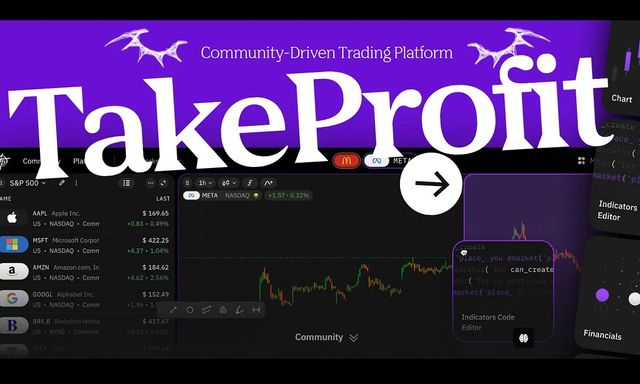
TakeProfit is a web-based technical analysis platform designed for traders and investors who want charting, screening, custom indicators, and alerts without tiered feature restrictions. TakeProfit was founded by a former TradingView CMO and uses a flat-rate pricing model as an alternative to multi-tier subscription structures.
TakeProfit offers two access levels: a free plan and a single paid plan. The free plan includes a basic toolkit with charting, watchlists, and limited alert functionality — including 1 alert with a 3-month expiration. The paid plan costs $20/month or $100/year and unlocks all available features at a single price point, with up to 50 alerts and extended expiration periods.
There is no Essential, Plus, Premium, or Ultimate distinction. Every paid user gets the same feature set — no chart-per-tab gating, no indicator limits tied to subscription tier, and no separate pricing for advanced analysis tools. The trading interface includes customizable charts, drawing tools, and a modular dashboard where traders can arrange widgets like charts, screeners, watchlists, and code editors to match their preferred workflow. This level of customization is available to every paid user without additional tier upgrades.
TakeProfit uses Indie as its scripting language for custom indicators. Indie is a Python-based language designed specifically for financial data analysis within the TakeProfit platform. This contrasts with TradingView’s Pine Script, which is a proprietary language locked to the TradingView ecosystem. For traders familiar with Python, Indie offers a shorter learning curve compared to Pine Script’s unique syntax.
The platform’s Indicators Marketplace allows users to publish, share, and monetize custom indicators built in Indie. Notably, TakeProfit allows even free-plan users to publish indicators to the marketplace — a capability that TradingView restricts to paid plans. This open publishing model supports community-driven development and ecosystem growth.
TakeProfit also provides a stock screener with pre-market and post-market price ratio columns, access to over 100 crypto exchanges and the US equity market, an order book for supported instruments, and a community feed for sharing market analysis and trade ideas. Customer support is handled by human agents accessible via Discord and social media, rather than through an automated ticket system. The overall trading experience is designed to minimize the friction of paywalls and tier-gated features.
The trade-off is maturity. TakeProfit has a smaller user base and community compared to TradingView’s 100+ million users. Broker integration is currently more limited, and the overall indicator library is still growing. Traders who depend on TradingView’s social network, extensive Pine Script library, or specific broker connections should evaluate these gaps before switching.
Summary Insight
TakeProfit uses a flat-rate pricing model: $20/month or $100/year for all features. Unlike tiered platforms, TakeProfit does not gate indicators, alerts, or charting tools behind progressively expensive plans. The free plan includes basic charting and alert functionality, and the paid plan unlocks all capabilities at a single price.
TradingView vs. TakeProfit: Pricing and Feature Access in 2026
The following table compares TradingView and TakeProfit across key pricing and feature dimensions. This comparison uses TradingView’s Premium tier ($59.95/month) as the reference point, since Premium is the plan most commonly recommended for active traders.
| Dimension | TradingView (Premium) | TakeProfit (Paid Plan) |
|---|---|---|
| Pricing model | 5 consumer tiers + 2 professional tiers | 1 free plan + 1 paid plan |
| Monthly cost | $59.95 (Premium) | $20 |
| Annual cost | ~$599.40 (Premium) | $100 |
| All-features access | Premium or higher only | Paid plan includes all features |
| Charts per tab | 8 (Premium) | Not tier-gated |
| Indicators per chart | 25 (Premium) | Not tier-gated |
| Active alerts | 400 (Premium); hidden 15/3-min throttle | Up to 50 (paid) |
| Alert expiration | No expiry (Premium); 2 months (Essential/Plus) | 3 months (free); extended (paid) |
| Scripting language | Pine Script (proprietary) | Indie (Python-based) |
| Indicator publishing | Paid plans only | Free and paid plans |
| Customer support | Ticket system; AI chatbot primary | Human support; Discord access |
| Free plan | Available with significant limits | Available with basic toolkit |
| Indicator marketplace | Large Pine Script community library | Growing Indie marketplace |
| Broker integrations | Multiple brokers supported | Limited broker support (growing) |
| User base | 100M+ users | Smaller, growing community |
| Free trial | 30-day (auto-converts to paid) | Free plan available indefinitely |
TradingView’s advantages center on ecosystem scale. Its 100+ million user base creates network effects in social trading, a massive library of community-built Pine Script indicators, and broader brokerage integration. For traders who depend on specific brokers, social features, trade ideas shared by the community, or a deep indicator library, TradingView remains a strong choice — the question is which tier to pay for.
TakeProfit’s advantages center on pricing simplicity and transparency. The platform does not restrict core trading features behind tier gates. Its flat-rate model eliminates the “which plan do I need?” friction that drives much of TradingView’s negative review feedback. The customizable interface and single-tier access model appeal to traders who prioritize cost predictability and don’t need TradingView’s social network.
Key Insight
TradingView’s Premium plan at $59.95/month provides 8 charts per tab, 25 indicators, and 400 non-expiring alerts. TakeProfit’s single paid plan at $20/month provides all available features at roughly one-third the cost, though TradingView offers a larger indicator library and broader broker integration as of 2026.
Other TradingView Alternatives Worth Considering in 2026
No single platform fully replicates TradingView’s combined feature set. However, several of the top TradingView alternatives address the specific pricing pain point in different ways. Below are charting platforms for traders who want to evaluate the best alternative to TradingView based on their specific needs.
TrendSpider is an automated technical analysis platform designed for pattern recognition, multi-timeframe analysis, and AI-driven charting. TrendSpider offers its Standard plan starting at $89/month (or roughly $59/month billed annually), with Premium and Enhanced tiers offering higher limits on workspaces and bots. TrendSpider differentiates by including automated trendline detection and AI-powered chart pattern recognition at all tiers — features TradingView reserves for Premium. The platform maintains a 4.6 Trustpilot score. TrendSpider does not offer a free plan, only a paid 14-day trial at $7. The learning curve is steeper than TradingView’s, and the platform is more focused on advanced technical analysis automation than on social trading or community indicators.
Koyfin is a financial data and analytics platform designed primarily for fundamental analysis, screening, and market research. Koyfin is powered by Capital IQ data and is trusted by over 500,000 investors. Koyfin offers a free plan with a global market stock screener, watchlists, and 2 years of financial data. The Plus plan starts at $39/month for expanded screening, 10 years of financials, and premium news. The Pro plan at $79/month adds mutual fund data and unlimited custom formulas. Koyfin excels at fundamental and technical analysis combined but has weaker charting capabilities compared to TradingView. It is a stronger fit for investors and analysts doing stock analysis than for intraday traders relying on technical indicators.
Investing.com is a financial media and data platform that provides free charting, a stock screener, real-time data, and financial news. Investing.com offers a free tier with ad-supported access to charts, technical analysis tools, and an economic calendar. Its Pro plans remove ads and add advanced screening. Investing.com is commonly used as a supplementary research tool rather than a primary technical analysis platform, but it offers broad asset coverage — including forex trading, crypto, stocks, and commodities — at a lower cost than TradingView’s paid tiers. Its charting capabilities are less customizable than TradingView’s, and it does not offer a scripting language equivalent to Pine Script or Indie.
Beyond these three, traders also compare popular platforms like NinjaTrader (which uses NinjaScript and provides pro-grade futures and forex charting), thinkorswim by Schwab (a full-featured brokerage platform with built-in charting, paper trading, and backtesting), TC2000 (a desktop-focused charting and screening platform favored by swing traders for its speed and scan capabilities), and MT5 (MetaTrader 5, widely used for forex and CFD trading with MQL5 scripting). Each addresses a different niche — NinjaTrader and MT5 lean toward executing trades and forex, thinkorswim bundles charting with brokerage services, and TC2000 excels at fast scanning. None of these platforms are direct analogues of TradingView’s social-first model, but traders who are paying primarily for charting and analysis — not social features — may find that platforms like TradingView are not the only best options available in 2026.
Summary Insight
No single TradingView alternative matches its full combination of charting, scripting, social trading, and broker integrations. TrendSpider offers stronger automated analysis at a similar price point, Koyfin provides deeper fundamental data, and TakeProfit offers flat-rate access to all features at $20/month. Traders benefit from evaluating which specific capabilities they actually use before choosing.
How to Move from TradingView to an Alternative Platform
Switching technical analysis platforms takes planning. Traders who want to evaluate alternatives like TakeProfit, TrendSpider, or Koyfin without losing their existing workflow should follow a structured transition.
Step 1: Document your current setup. Before changing anything, list the specific TradingView features you use daily. Note your indicator combinations, timeframes, alert configurations, and any Pine Script custom indicators. This inventory becomes your checklist for evaluating whether an alternative covers your actual needs — not just the features you pay for but rarely use.
Step 2: Start with the free tier on the new platform. TakeProfit, Koyfin, and Investing.com all offer free plans. TrendSpider offers a paid trial. Open a free account and spend time testing your core workflow — chart reading, indicator setup, dashboard layout, and alert creation — on the new platform before committing any money.
Step 3: Run both platforms in parallel for 2 to 4 weeks. Keep your TradingView subscription active during the evaluation period. Set up equivalent watchlists and alerts on both platforms. Compare data quality, chart responsiveness, and indicator behavior side by side. Test executing trades or connecting webhooks if applicable. This overlap period reveals compatibility issues that a quick test cannot.
Step 4: Migrate alerts and watchlists gradually. Most platforms accept CSV watchlist imports. Recreate your most critical alerts on the new platform first, then add secondary alerts over time. If you use Pine Script custom indicators, check whether equivalent Indie scripts exist in TakeProfit’s marketplace, or whether the script logic can be rewritten in Indie’s Python-based syntax.
Step 5: Cancel TradingView carefully. TradingView auto-renews subscriptions and user reviews frequently describe cancellation difficulties. Cancel well before your renewal date, confirm the cancellation via email, and check your billing statement to verify no charges occur after cancellation. If you are on an annual plan, note that mid-term cancellations typically do not receive pro-rated refunds.
Summary Insight
Traders switching from TradingView should plan a 2–4 week overlap period, running the new platform alongside their existing subscription. This allows time to recreate watchlists, test equivalent indicators, and verify data quality before committing to a full switch.
Frequently Asked Questions
Is TradingView worth the price in 2026?
TradingView offers powerful charting and a large trading community, but value depends on which tier a trader needs and current market conditions. The free plan works for beginners, and Essential suits multi-timeframe analysis at $14.95/month. Active traders who need non-expiring alerts to capture trading opportunities often find themselves pushed to Premium at $59.95/month, which some consider expensive relative to flat-rate alternatives.
How much does TradingView cost per month?
TradingView’s non-professional plans cost $14.95/month (Essential), $29.95/month (Plus), and $59.95/month (Premium) when billed monthly. Annual billing reduces costs to approximately $12.95, $28, and $56/month respectively. The professional Ultimate plan costs $239.95/month. A free plan with significant feature limitations is also available.
What is TradingView’s Most Affordable paid plan?
TradingView’s Essential plan is the cheapest paid tier at $14.95/month or approximately $12.95/month with annual billing ($155.40/year). Essential removes ads, adds custom timeframes, volume profile, 2 charts per tab, 5 indicators per chart, and 20 active alerts with webhook support.
Why is TradingView so expensive?
TradingView’s pricing reflects a tiered model where advanced features are reserved for higher plans. Traders often find that basic plans lack the indicators, charts, or alert capabilities needed for their strategy, pushing them to upgrade. The gap between what Essential offers and what active traders need commonly results in a jump to Premium — a fourfold increase from the cheapest plan.
Can you use TradingView for free?
Yes. TradingView offers a free plan with basic charting, 3 indicators per chart, 1 chart per tab, and 5 basic alerts. The free plan includes ads and does not support custom timeframes, webhooks, or volume profile tools. It works for beginners exploring technical analysis but restricts most active trading workflows.
What features are locked behind TradingView Premium?
TradingView Premium ($59.95/month) exclusively includes non-expiring alerts, auto chart pattern recognition, second-based timeframes, 8 charts per tab, 25 indicators per chart, 400 active alerts, and 20,000 bars of intraday historical data. These features are not available on Essential or Plus plans.
What is TakeProfit and how much does it cost?
TakeProfit is a technical analysis platform offering charting, a stock screener, custom indicators via the Indie scripting language, and a community marketplace. TakeProfit costs $20/month or $100/year for all features. A free plan with basic charting and limited alerts is also available. TakeProfit uses flat-rate pricing with no tiered feature gating.
Is TakeProfit a good alternative to TradingView?
TakeProfit addresses TradingView’s pricing pain point directly with its flat-rate model. It is a good fit for traders who want all features at a single price without tier gates, including dashboard customization and the ability to share trade ideas through the community feed. However, TakeProfit has a smaller community, fewer broker integrations, and a growing but less mature indicator library compared to TradingView. Traders should test the free plan first.
What is the difference between Pine Script and Indie?
Pine Script is TradingView’s proprietary scripting language used to create custom indicators and strategies on the TradingView platform. Indie is TakeProfit’s Python-based scripting language serving a similar purpose. Pine Script uses its own syntax, while Indie closely follows Python conventions, making it accessible to traders already familiar with Python programming.
Does TakeProfit have a free plan?
Yes. TakeProfit offers a free plan that includes basic charting, watchlists, and limited alert functionality with 1 alert and a 3-month expiration. Free users can also publish indicators to the marketplace — a feature TradingView restricts to paid subscribers. The paid plan at $20/month or $100/year unlocks all available features.
How many indicators can you use on TradingView’s free plan?
TradingView’s free plan allows 3 indicators per chart. This is sufficient for basic setups like a single moving average with RSI, but too restrictive for multi-indicator strategies that combine volume analysis, trend indicators, and oscillators. Essential raises the limit to 5, Plus to 10, and Premium to 25.
Do TradingView alerts expire?
Yes, on Essential and Plus plans, TradingView alerts expire after approximately 2 months, requiring manual recreation. Premium and Ultimate plans offer non-expiring alerts. This expiration is a common friction point for traders who automate strategies using webhook-connected alerts.
What is TradingView’s hidden alert throttle?
TradingView applies a maximum rate of 15 alerts firing per 3-minute window across all plans, including Premium. This means a Premium subscriber paying for 400 active alerts still faces the same firing throttle as lower-tier users. This restriction is not prominently advertised and has been a source of frustration for algorithmic traders.
Can you publish indicators for free on TakeProfit?
Yes. TakeProfit allows all users, including free-plan users, to create and publish custom indicators to the Indicators Marketplace using the Indie scripting language. TradingView restricts indicator publishing to paid subscribers, which limits community participation for free users.
How do I cancel my TradingView subscription?
TradingView subscriptions can be canceled through the account billing settings. Users report the process can be confusing, particularly around auto-renewal settings. Cancel well before your renewal date and verify cancellation confirmation via email. Refunds for mid-term cancellations on annual plans are frequently described as difficult to obtain.
Is TrendSpider More Affordable than TradingView?
TrendSpider’s Standard plan starts at approximately $89/month (or roughly $59/month annually), comparable to TradingView’s Premium at $59.95/month. TrendSpider includes automated pattern recognition at all tiers, which TradingView locks to Premium. However, TrendSpider does not offer a free plan, only a paid 14-day trial.
What is the Leading TradingView alternative for crypto traders?
For crypto traders prioritizing cost and flat-rate access, TakeProfit offers coverage of over 100 crypto exchanges at $20/month with all features included. TradingView covers crypto across all plans but gates advanced tools behind higher tiers. Crypto-focused traders should evaluate which indicators, alert capabilities, and exchange coverage matter most for their strategies.
Does TakeProfit support stock screening?
Yes. TakeProfit includes a stock screener as part of its platform, available in the paid plan. The screener includes pre-market and post-market price ratio columns for identifying gap opportunities. TradingView also offers a stock screener across its plans. Both platforms support technical and fundamental analysis screening filters for stock analysis.
Can I switch from Pine Script to Indie easily?
Pine Script and Indie use different syntax, so existing Pine Script code does not run directly on TakeProfit. However, the underlying logic — calculating moving averages, RSI, crossover conditions — translates between languages. Indie’s Python-based syntax may feel familiar to traders who know Python. TakeProfit’s documentation provides migration guidance for common indicator patterns.
What is the Most Affordable way to get TradingView Premium features?
TradingView offers significant discounts during Black Friday sales, historically up to 70–80% off annual Premium subscriptions. Annual billing saves approximately 40–60% compared to monthly pricing across all tiers. Some users wait for promotional periods to upgrade, effectively reducing Premium’s annual cost to under $200/year during peak sales.
Is TradingView’s Tiered Pricing Worth It — or Should You Switch?
TradingView remains a powerful technical analysis platform with an unmatched user base, a deep library of technical indicators, and broad broker integrations. For traders whose workflow depends on TradingView’s social features, specific Pine Script indicators, or particular broker connections, the platform’s pricing — while frustrating — may still represent the right trade-off.
However, for active traders who consistently find themselves paying $30 to $60/month for features that flat-rate platforms include at lower price points, the math deserves a second look. TakeProfit offers all its charting, indicator, alert, and screening features for $20/month or $100/year — a third to a half of what TradingView’s comparable tier costs.
Other alternatives address different aspects of the pricing problem. TrendSpider provides automated technical analysis at a price point similar to TradingView Premium. Koyfin delivers deeper fundamental data with a free tier and paid plans starting at $39/month. Investing.com offers broad market coverage with free access to basic charting and screening.
The right platform depends on each trader’s specific workflow. Multi-timeframe technical analysis, custom indicator development, automated alerting, stock screening, and community features all weigh differently depending on whether a trader focuses on crypto, stocks, forex, or multiple asset classes. Testing free tiers and running parallel evaluations during trial periods remains the most reliable way to identify whether an alternative genuinely fits before canceling an existing subscription.