

The Runway AI video generator on Pollo AI has been evaluated as part of a broader set of AI video creation workflows that combine multiple generative models in a single interface. Rather than functioning as an isolated tool, it operates within Pollo AI’s multi-model ecosystem, where users can switch between different video engines for comparison and experimentation. This review is based on practical testing of its text-to-video and image-to-video capabilities, focusing on output quality, motion consistency, and usability in real content scenarios such as marketing, social media, and concept development.
What is Runway AI Video Generator on Pollo AI?
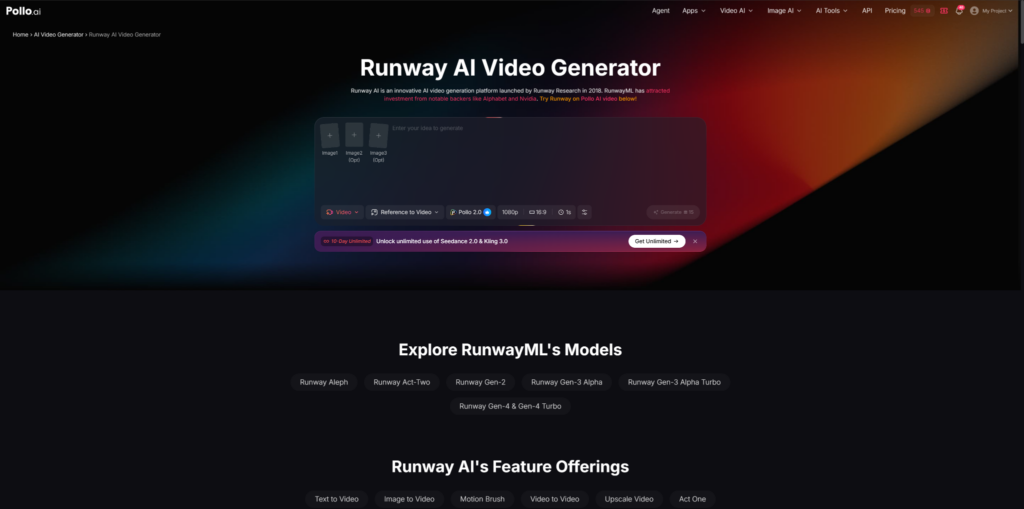
The Runway AI video generator on Pollo AI is a unified interface that integrates RunwayML’s generative video models into the broader Pollo AI ecosystem. Runway AI itself, launched by Runway Research in 2018 and backed by investors such as Alphabet and Nvidia, is an AI-driven platform designed for generating and editing video through machine learning models.
Within Pollo AI, the Runway AI video generator is presented as one of several supported video models alongside tools like Kling AI, Pika AI, and Sora-style systems. Rather than functioning as a standalone application, it is embedded into a larger environment that includes multiple creative workflows such as AI Video Generator, Image to Video AI, Text to Video AI, and Reference to Video.
In this context, the Runway AI video generator is primarily positioned for users who want to create creative AI videos from prompts, images, or clips without switching platforms. It becomes part of a broader suite that includes Marketing content generation, Social Media video creation, and specialized applications like UGC Video Ads, Product Video, and Movie Trailer generation.
Why Pollo AI Integrated RunwayML?
Pollo AI integrates RunwayML to expand its multi-model video generation ecosystem and provide users with flexible access to different generative engines in one place. Instead of relying on a single model, Pollo AI allows switching between Runway AI, Veo 3, Kling AI, Sora 2, and others.
The inclusion of Runway AI video generator aligns with Pollo AI’s broader positioning as an all-in-one AI Video Generator platform. This platform supports workflows such as Ad Video, UGC Video Ads, Facebook Ad Video, Clone Video Ads, and Social Media content production.
Runway’s strengths in cinematic generation and motion realism complement Pollo AI’s toolset, which also includes features like AI Animation Generator, AI Video Editor, and Video to Video AI. This integration allows users to combine Runway’s generative quality with Pollo AI’s structured creative apps like Story Video, Explainer Video, News Video, Anime Video, and Faceless Video.
From a workflow perspective, integration also simplifies access to advanced features such as Reference to Video, which helps maintain consistency of characters, objects, or scenes across generated outputs.
Key Features of Runway AI Video Generator on Pollo AI
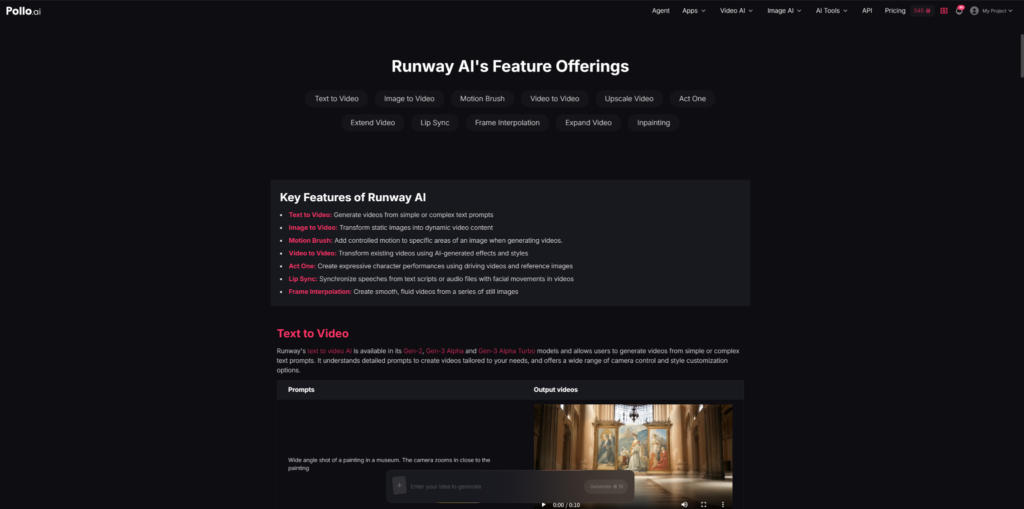
Text to Video AI and Prompt-Based Generation
The Runway AI video generator supports Text to Video AI, allowing users to create videos from simple or complex prompts. This is one of the most widely used features, particularly for cinematic concepts, teaser scenes, and abstract visual storytelling.
Within Pollo AI, this capability is often used for creative formats such as Movie Trailer, Teaser Video, and Story Video. The model interprets camera movement, lighting, and composition from text descriptions, although output consistency depends on prompt clarity.
Image to Video AI and Visual Animation
Image to Video AI is another core function integrated into Pollo AI. It allows static images to be transformed into dynamic video sequences. This feature is frequently used for Product Video creation, Social Media posts, and UGC Video Ads.
It can also support more niche outputs like Anime Video and AI Animation Generator workflows, where stylized motion is applied to still artwork or illustrations.
Reference to Video and Consistency Control
One of the more advanced features available in Pollo AI’s Runway integration is Reference to Video. This feature helps maintain consistency of characters, objects, or environments throughout a generated video.
This is particularly useful in Clone Viral Video, Celebrity Video, and Clone Video Ads scenarios, where identity and visual continuity are important.
Video to Video AI and Style Transformation
Video to Video AI enables users to reimagine existing footage using AI-generated styles. This is commonly applied in Facebook Ad Video creation, Ad Video campaigns, and cinematic re-edits.
It is also used in creative applications such as Boomerang Video, B-Roll Video, and Music Video production, where stylistic variation is more important than realism.
Motion Tools, Lip Sync, and Animation Features
Runway’s Motion Brush, Lip Sync, Act One, and Frame Interpolation features are also accessible through Pollo AI’s Runway integration.
Motion Brush allows selective movement control within a scene, while Lip Sync synchronizes audio or text with facial movements. Frame Interpolation helps generate smoother transitions between frames, which is useful for Music Video and Narrative Music Video production.
These tools extend the usability of the Runway AI video generator beyond simple prompt-based generation into more structured animation workflows.
How Runway AI Video Generator Works Inside Pollo AI?
Inside Pollo AI, the Runway AI video generator operates as part of a guided generation pipeline. Users typically begin by selecting the Runway model under the “Supported Video Models” section, which may include versions such as Gen-2, Gen-3 Alpha, Gen-3 Alpha Turbo, and newer experimental variants.
The workflow usually follows a structured process:
First, the user inputs a prompt through Text to Video AI or uploads an image for Image to Video AI. The system then processes the input using Runway’s generative models, which interpret text or visual cues into animated video sequences.
Pollo AI also supports advanced workflows like Video to Video AI, where existing footage can be restyled using Runway’s transformation capabilities. This is especially relevant for use cases such as Movie Trailer creation, Music Video generation, and Narrative Music Video production.
In addition, Pollo AI provides access to Runway-related features such as Motion Brush, Lip Sync, Frame Interpolation, and Act One. These tools allow more controlled motion design, synchronized speech animation, and smoother frame transitions.
A typical usage flow includes selecting Runway ML, entering a prompt, optionally uploading an image, and generating a video through the “Create” function. This simplified structure makes the Runway AI video generator more accessible to non-technical users while still preserving core generative capabilities.
Practical Use Cases
Marketing and Advertising Content
The Runway AI video generator on Pollo AI is frequently used for Marketing applications, especially in Ad Video production. Brands use it to generate UGC Video Ads, Facebook Ad Video variations, and Product Video demonstrations.
It is also applied in Clone Video Ads, where consistent visual identity across multiple ad variations is required for testing different marketing angles.
Social Media Content Creation
For Social Media platforms, the Runway AI video generator supports rapid content production. Creators use it to generate short-form clips such as Faceless Video, Story Video, and Instagram-style content.
Formats like Clone Viral Video and Celebrity Video are also used for trend-based engagement strategies, although results depend heavily on prompt design and model behavior.
Filmmaking and Concept Development
In Filmmaking workflows, Runway AI is often used for pre-visualization. Pollo AI supports applications such as Movie Trailer creation, B-Roll Video generation, and Teaser Video development.
These outputs help creators visualize scenes before full production, particularly in narrative-heavy projects or experimental storytelling.
Music and Entertainment Content
In Music-related workflows, Runway AI video generator is used to create Music Video, Narrative Music Video, Singing Video, and Lyric Video formats.
It is also applied in more stylized outputs like Dancing Girl Video and Baby Dance Video, which are often used in entertainment-focused social media content.
Educational and Explainer Content
Pollo AI also supports Explainer Video and News Video generation using Runway AI. These formats are typically used for simplifying complex topics or visualizing structured information in short video form.
Is it Worth it?
The Runway AI video generator on Pollo AI offers a balanced combination of accessibility and generative capability. Its main advantage lies in its integration within a multi-model platform, allowing users to compare Runway outputs with other AI video engines without switching tools.
It is particularly useful for users working in Marketing, Social Media, and Filmmaking workflows where speed and iteration matter more than perfect control. Features like Text to Video AI, Image to Video AI, and Reference to Video make it flexible enough for both creative exploration and structured content production.
However, it also inherits typical limitations of generative video systems, including variability in motion consistency and limited long-form generation capability. Additionally, advanced users may find fewer granular controls compared to using RunwayML in its native environment.
Overall, the Runway AI video generator on Pollo AI is best understood as a practical, multi-purpose creative module rather than a fully standalone production system.